
Grok の会話を PDF、Markdown、テキスト、CSV、JSON 形式で無料で保存できます。 Grok の結果を PDF でダウンロード。Grok を美しい PDF に簡単に変換。
使用方法の手順に従ってください AI Grok エクスポーター ブラウザ拡張機能
grok.com を開く
エクスポートしたい会話に移動
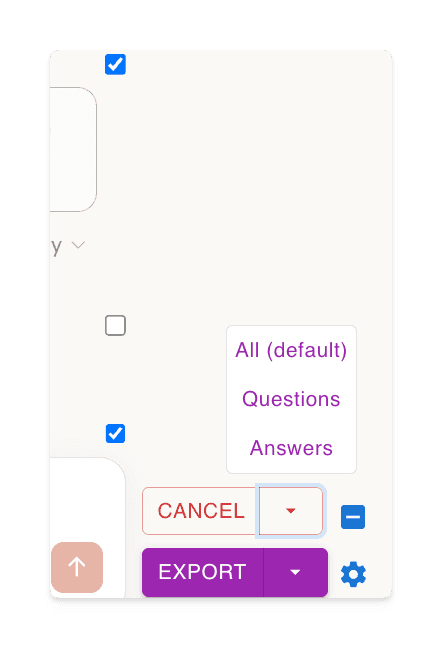
‘選択’ボタンをクリックして、エクスポートする内容を選択
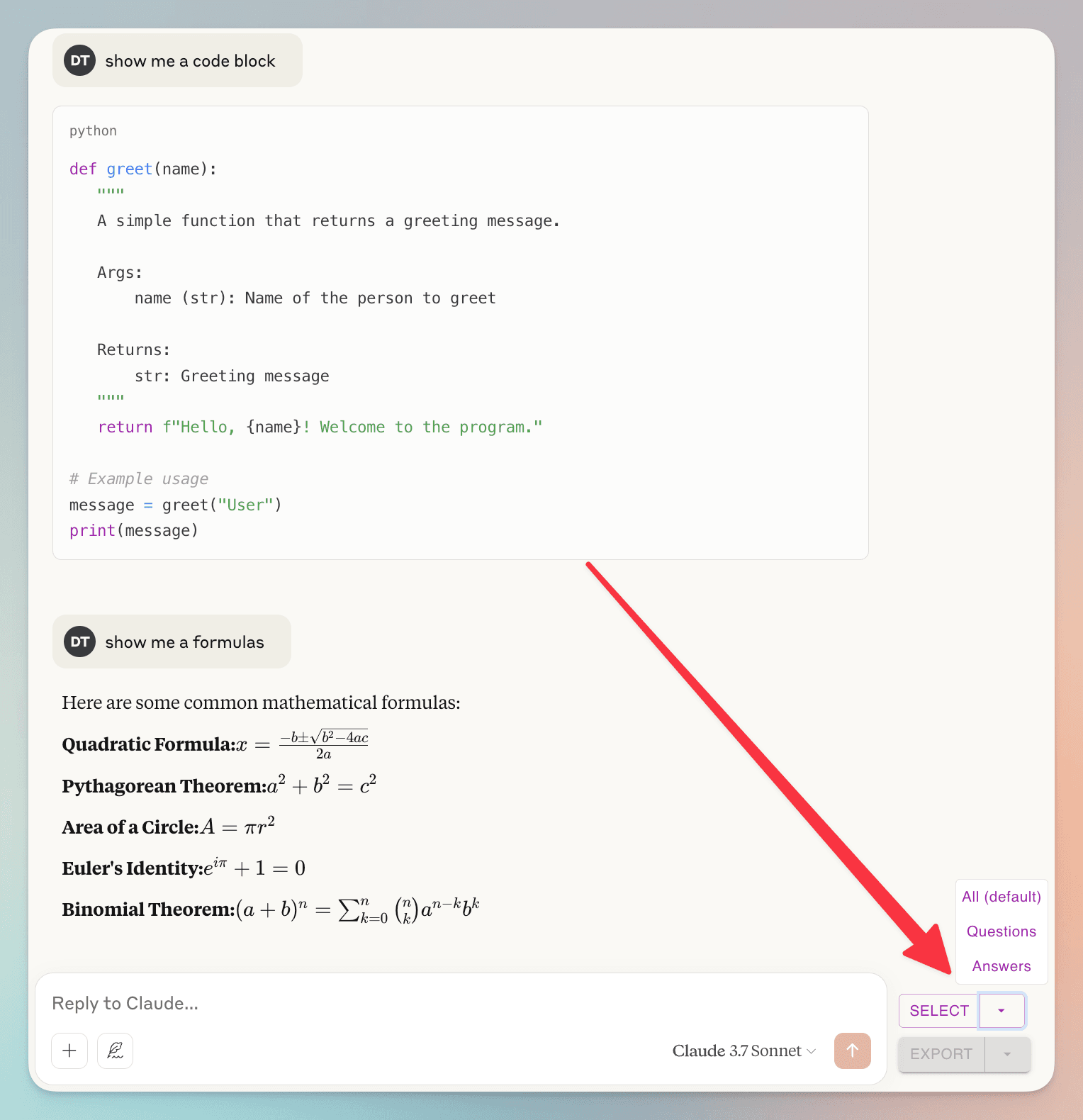
(un)check individual dialogs
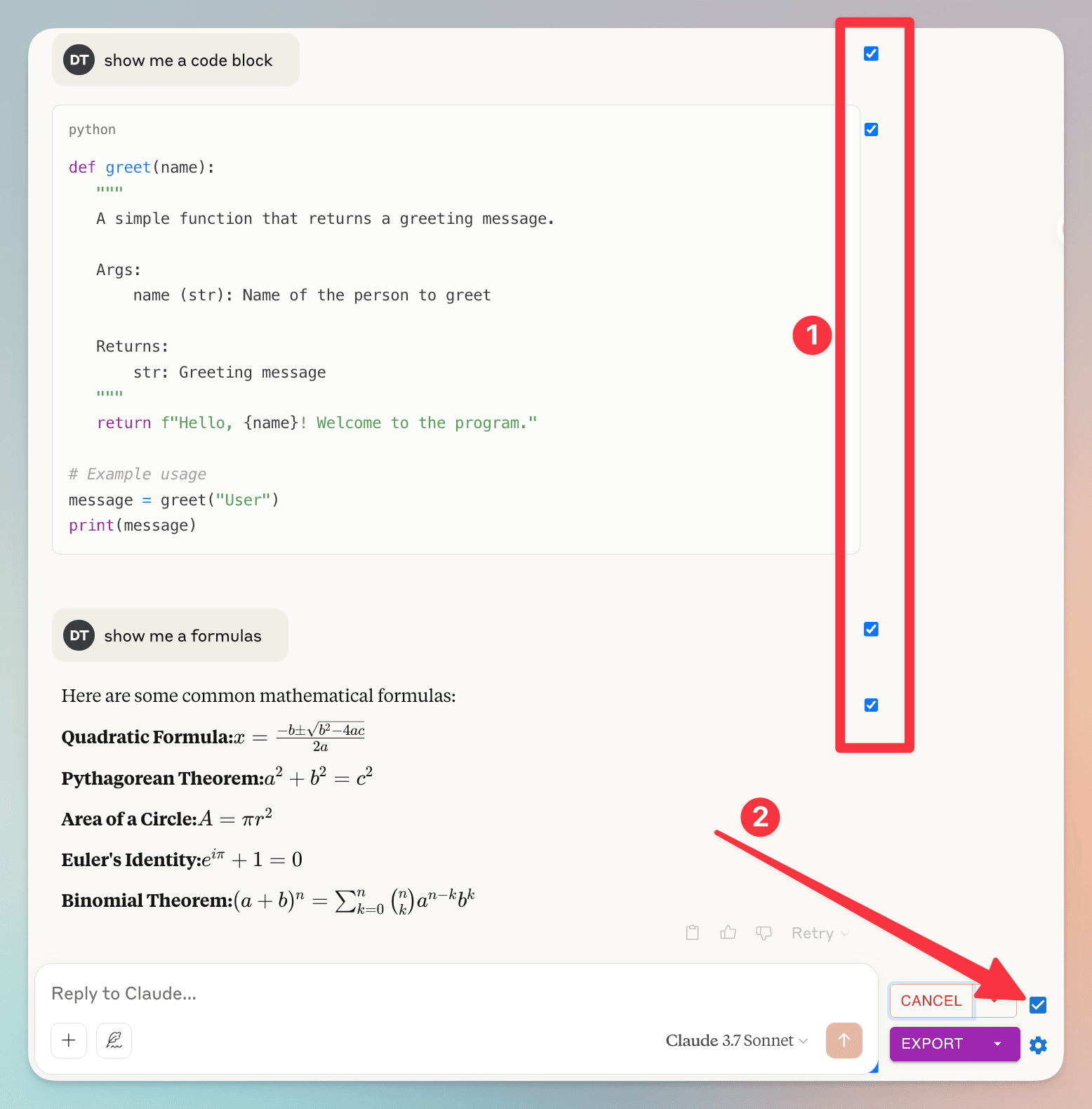
1. you can (un)check individual dialog
2. check/uncheck all dialog
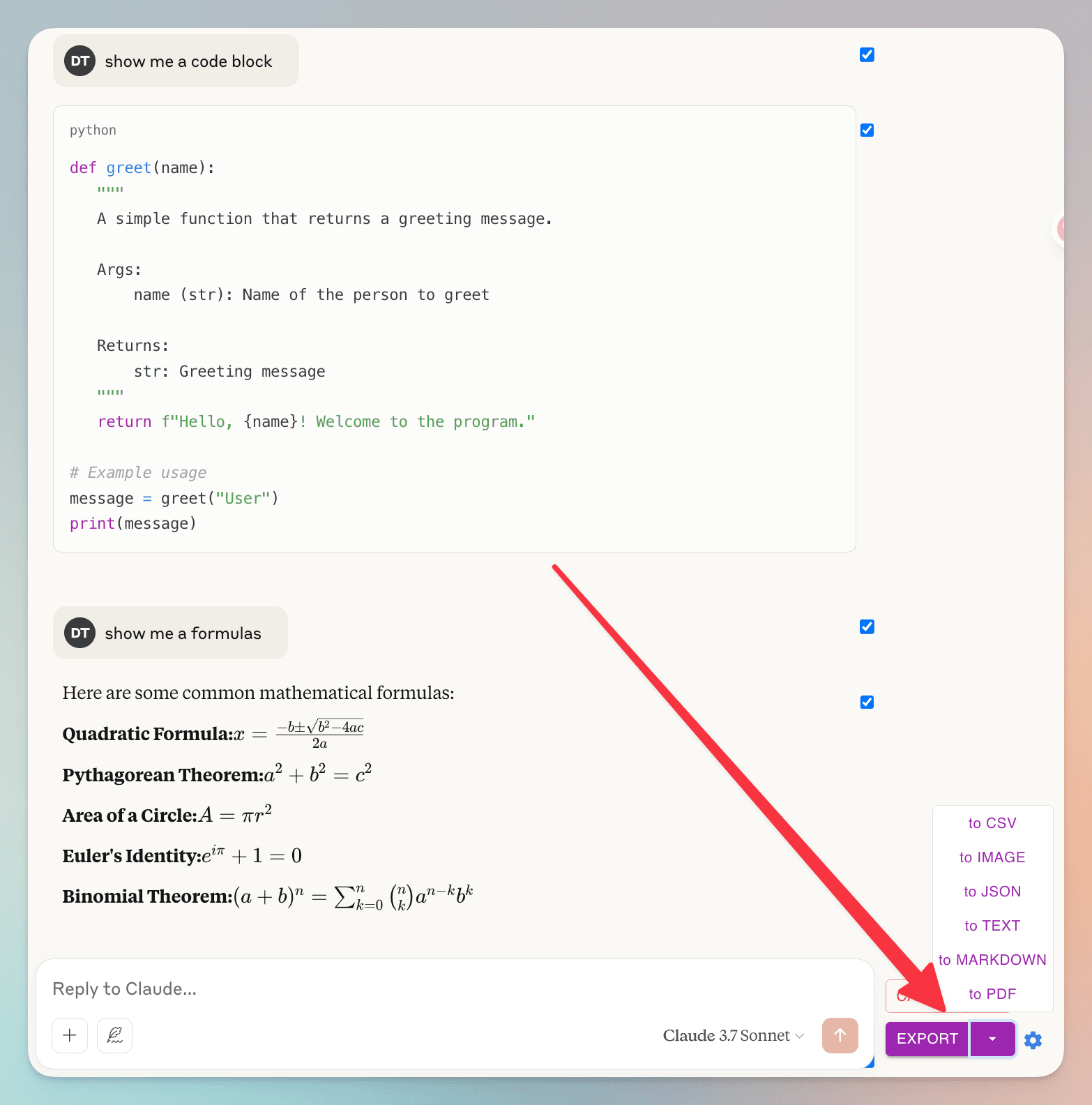
‘エクスポート’ボタンをクリックして、ファイル形式を選択
よくある質問
AI Grok エクスポーター に関する一般的な質問をご覧ください
会話の特定のメッセージをエクスポートできますか?
はい!各メッセージの横にあるチェックボックスを使用して個別のメッセージを選択できます。便利なことに、'選択'ボタンの横にもチェックボックスがあり、すべてのメッセージをすばやく選択または選択解除できます。
会話データはどのように処理されますか?プライバシーについて懸念があります。
プライバシーは最優先事項です。会話データは一切保存しません。PDF にエクスポートする場合、データはファイルを生成するためにサーバーで一時的に処理され、完了後すぐに削除されます。他のすべてのエクスポート形式(Markdown、テキスト、JSON、CSV)はブラウザ内で完全に処理されます。会話データを保存、分析、共有することはありません。
素晴らしい機能 生活をより簡単に
Grok の結果を PDF、Markdown などでダウンロード
AI Grok エクスポーターは多様なファイル形式をサポートしています。Grok の会話を PDF、Markdown、テキスト(TXT)、JSON、CSV など、複数の形式でエクスポートできます。
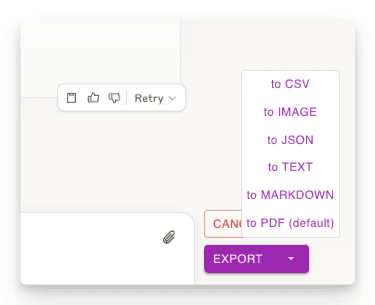
会話の一部をエクスポート
必要な会話部分のみをダウンロード。他の方法とは異なり、チャット全体をダウンロードする必要はありません - 必要な応答のみを選択できます!
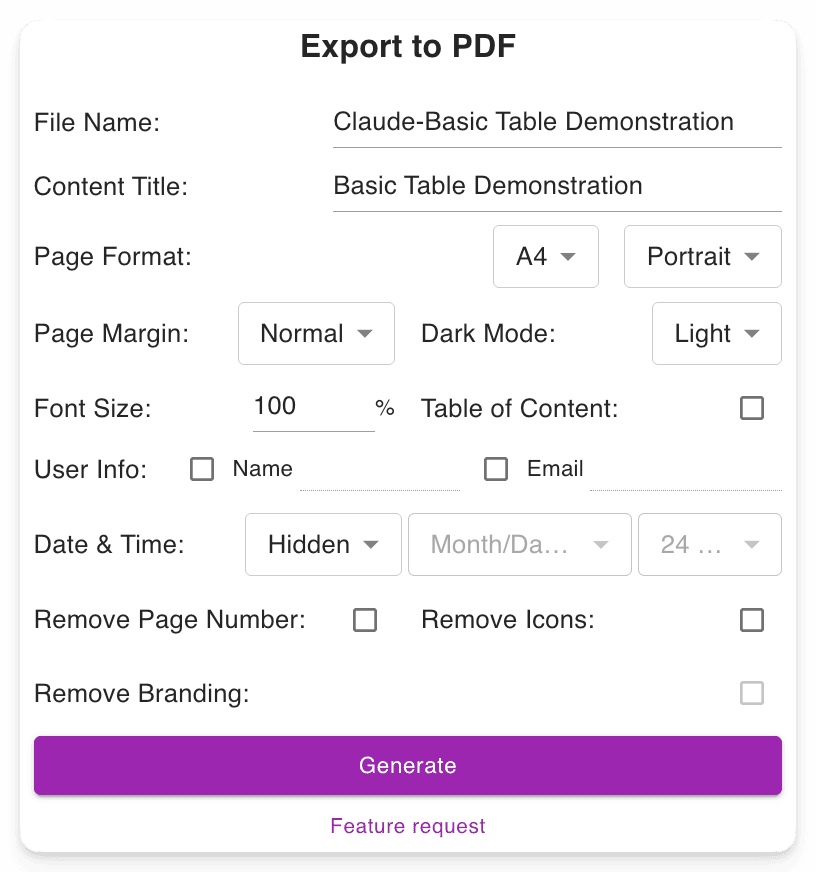
カスタマイズ可能なダウンロード設定
ファイル名を設定。コンテンツのタイトルを定義。PDF フォーマットを調整し、Grok のインターフェースを変更することなくダークモードやライトモードを選択。長い PDF でのナビゲーションを容易にするページ番号を含みます。
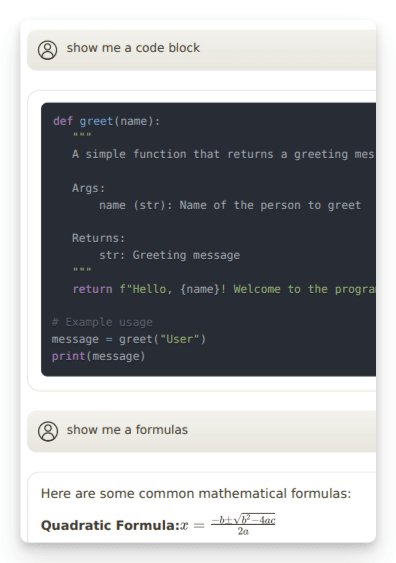
高度な出力を保持
重要な形式を保持します:数式(ブロックおよびインライン)。開発者向けのコードブロック。表や構造化されたコンテンツ。
"Nice exporter"

"Wonderful and easy to use. The PDF exporter is excellent."

"Used the PDF tool and it worked well. The export to PDF tool Grok shows at the end of the convo only exports the last answer, not the entire conversation. With this tool you can select "all" which is a big time saver. Note, if you find that you are not getting all pages or an error message, try scrolling through the convo top to bottom, then save. I did have a couple issues that scrolling fixed for me."

"Finally something that works! Excellent!"

"好用的"

"It ACTUALLY works, highly recommended if you can't find a working exporter. EZ 5/5"

"Buenísima extensión para Grok."

"很好, 可以完整Export 整個對話, 是Grok 本身沒有的功能"

"Simple of use! Exectry what we do need! Very good product, congrats, congrats, congrats!"

"Works nicely."

"Simple and effective. Excellent helper app."

"非常好 ,好得沒得挑剔 ,尤其大量文字對話上幫助我儲存內容 ,讓我後續有靈感時最大發揮!!"

"Works perfectly, no fuss, rare nowadays, 5 stars!!!"

"Amazing tool, lifesaver, so easy!"

"simplemente practico, 10/10"

"I tried 4 diffferent extensions to export Grok to PDF. This was be far the best (and the pdf export is only in beta!)"

"I suppose I should really have used it for longer but already I am impressed. I have not compared it with others but it is simple which to myself is important. If you have not tried a Grok exporter before then certainly try this first because it is so simple. I got my install and learn time back within a few minutes. After installing you need to refresh he grok screen for the extension to start working. I like printing at 75% so maybe try that and see what you think. There is - well to me - a little logic quirk in that if you want to select individual blocks - say just the last one of maybe 30 - you first have to select all - then a bit appears at the side - where you can unselect all - er wrong logic to me - and then you can manually select just the last block. I didn't notice it at first but IMO it would be better to have this on the first selection. Now I know it will be fine."

"It's just amazing! The best IA chat exporter."

"Exports chats accurately into Pdf and Markdown txt (not used other formats). Very usefull for offline reading."

"inpressed allready with the features"

"Super impressed with this Grok Exporter. The PDF formatting was spot on. Easy to install. Navigation was simple. Very thankful for this being developed."

"I often forget to go back and write reviews on applications that I like but the pop up after each use kept reminding me LOL This extension is absolutely AMAZING It's improved my work flow dramatically and helped me plug a leak of information that I'd just been ignoring until recently. Thank you so much for this"

"Seems to work well. It would nice to be able to pay some cash and get the ads removed from the output."

"Works great and formatting looks good!"

"Still trying to figure out how to use it. I usually use Grok from X. I guess I have to go to a different Grok page?"

"Süper uygulama emeği geçenlere teşekkür ederim.Artık sohbetlerimi arşivleyebileceğim.5 yıldız değil 10 yıldızı hakkediyor,"

"Works"

"Absolutely Awesome!"

"Perfect! Just what I was looking for!! Great Job!"

"NIce work guys, keep improving it."

始める準備はできましたか?
AI Grok エクスポーター を今すぐインストール。
Grok の結果を PDF、Markdown、テキスト、JSON、CSV 形式でダウンロードできる究極のツールで生産性を向上させましょう。